
Guide
How to make a stickman animation: frame by frame or with AI
By Petr, founder of StickReel · Updated
Short answer
There are two ways to make a stickman animation. The classic way is frame by frame: open a free app like Pivot Animator (Windows), Stick Nodes (Android and iOS), or FlipaClip, pose or draw the key poses, fill in the frames between them at 12 frames per second, then add sound and export. The fast way is AI: type a topic or paste a script into a stickman video generator like StickReel, which writes the script and generates the scenes, voiceover, and captions as a finished MP4 in about 10 minutes, with no drawing.
Which one you want depends on what you're making. If the animation itself is the point, like a smooth stick-fight or a motion experiment, go frame by frame. If you want to publish stickman videos regularly for a YouTube channel, TikTok, or your business, the AI route saves hours per video. This guide walks through both.
Still deciding what your videos should be about? Start with these faceless YouTube channel ideas, each with a real channel that proves the niche works.
Method 1
How to make a stickman animation frame by frame
Traditional stickman animation works the same way all animation does: you pose the figure, move the limbs slightly in the next frame, and repeat until the motion looks alive. Played back quickly, the still frames turn into movement. It's great fun, it gives you total control, and it takes a lot of hours.
The best free stickman animation apps
Joint-based apps (Pivot Animator, Stick Nodes) give you a ready-made stick figure that you pose by dragging its joints, which is the easiest start. Drawing apps (FlipaClip, Pencil2D) have you draw every frame yourself. To try joint-based animation without installing anything, use our free stick figure animator, which runs in the browser and exports GIFs.
| App | Platform | Price | Best for |
|---|---|---|---|
| Pivot Animator | Windows | Free, including commercial use | The classic stick figure animator: drag the joints to pose, add a frame, repeat. No built-in sound. |
| Stick Nodes | Android, iOS | Free; Pro is $3.99 one-time | Stick figure animation on a phone, with automatic tweening. Pro adds MP4 export, sound effects, and removes the watermark. |
| FlipaClip | Android, iPhone, iPad | Free with ads; optional Plus subscription | A hand-drawn look: you draw every frame yourself, with onion skin and audio tracks. |
| Pencil2D | Windows, macOS, Linux | Free and open source | Hand-drawn frame-by-frame animation on a Mac or Linux computer. |
Prices and platforms from the official app listings, checked November 2026.
Animate it in six steps
- 1
Plan one short action
Pick a single movement of two to five seconds: a wave, a jump, a punch. Sketch the start and end pose on paper first. A short, finished animation teaches you more than an ambitious one you abandon halfway.
- 2
Set the frame rate to 12 fps
Twelve frames per second is the standard for hand-made 2D animation and looks smooth for stick figures. 24 fps is smoother still, but it doubles the number of frames you have to make.
- 3
Pose the key frames first
Key poses are the frames that define the action: the start, the most extreme point, and the end. Get these right before anything else. If each key pose reads clearly as a silhouette, the finished motion will too.
- 4
Fill in the in-between frames
Add the frames that carry the figure from one key pose to the next, moving each limb a little at a time. Turn on onion skinning to see the previous and next frame faintly behind the current one. Stick Nodes and Pivot Animator 5 can generate in-betweens for you.
- 5
Add easing and holds
Space frames closer together at the start and end of a movement (slow in, slow out) so the figure accelerates and decelerates instead of moving like a robot. Hold the final pose for a few frames so the viewer can register it.
- 6
Add sound and export
Pivot Animator has no audio, so export a video and add sound in a video editor. Stick Nodes Pro and FlipaClip let you add sound in the app. Export MP4 for YouTube, TikTok, or Reels, or GIF for short loops.
How long it really takes
At 12 frames per second, a 15-second clip is 180 frames. Automatic tweening cuts that down, but most beginners still spend several hours on their first 10 to 15 seconds, and that's before adding a voiceover, music, or captions.
Frame by frame is the right choice when the animation itself is the art: fight scenes, physical comedy, motion experiments. It's the wrong choice when the animation is just a vehicle for an idea you want to publish this week.
Method 2
How to make a stickman animation with AI, from text
If you'd rather start from an idea than a blank canvas, you can generate a complete stickman video with StickReel, an AI stickman video maker that runs in the browser. You type a topic or paste a script, and it produces the script, scene illustrations, animation, voiceover, and captions as one finished MP4. To see what the output looks like before you start, browse stickman video examples with their prompts and transcripts.
The full process in under four minutes. Prefer reading? Here it is step by step.
- 1
Start with a topic, or your own script
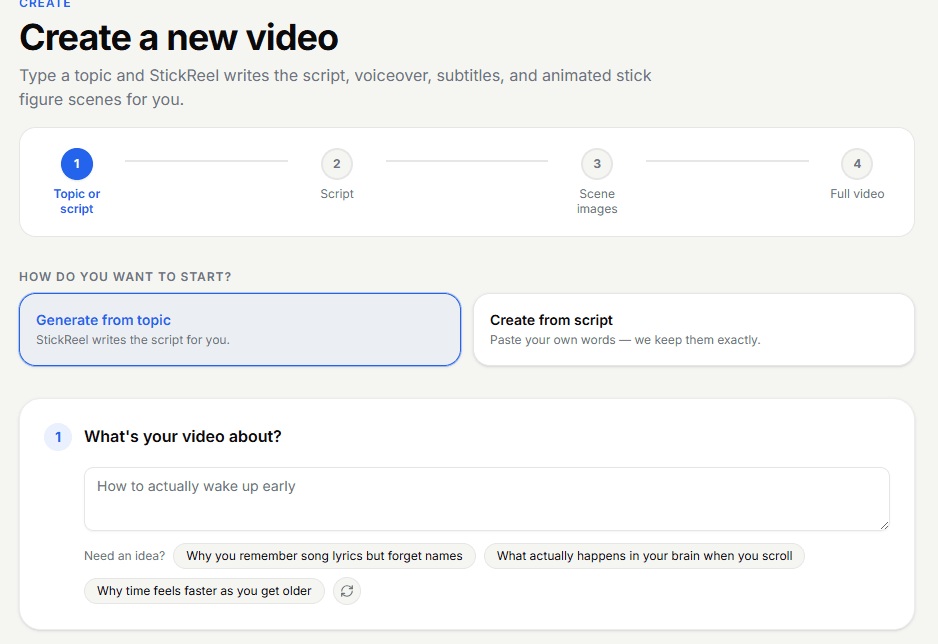
When you create a new video, you choose how to start. Generate from topic means you type a single line, something like “How to actually wake up early”, and StickReel writes the script for you. Create from scriptmeans you paste your own words and they're kept exactly as written. If you already write scripts in ChatGPT or by hand, this is your option; if you're starting from scratch, a topic is enough.
- 2
Pick a format
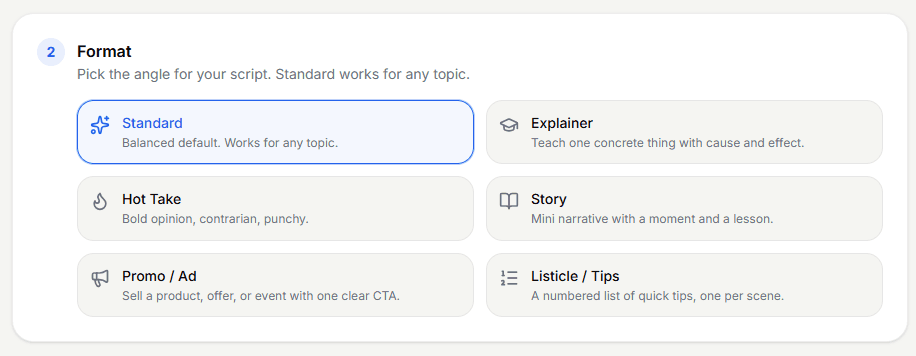
The format sets the angle of the script. Standard is a balanced default that works for any topic. Explainer teaches one concrete thing with cause and effect, the natural pick for educational channels. Hot Take is bold and punchy, Story builds a mini narrative with a lesson, Listicle / Tips gives you a numbered list with one tip per scene, and Promo / Adsells a product or offer with a clear call to action. If you're unsure, start with Standard.
- 3
Choose your video settings
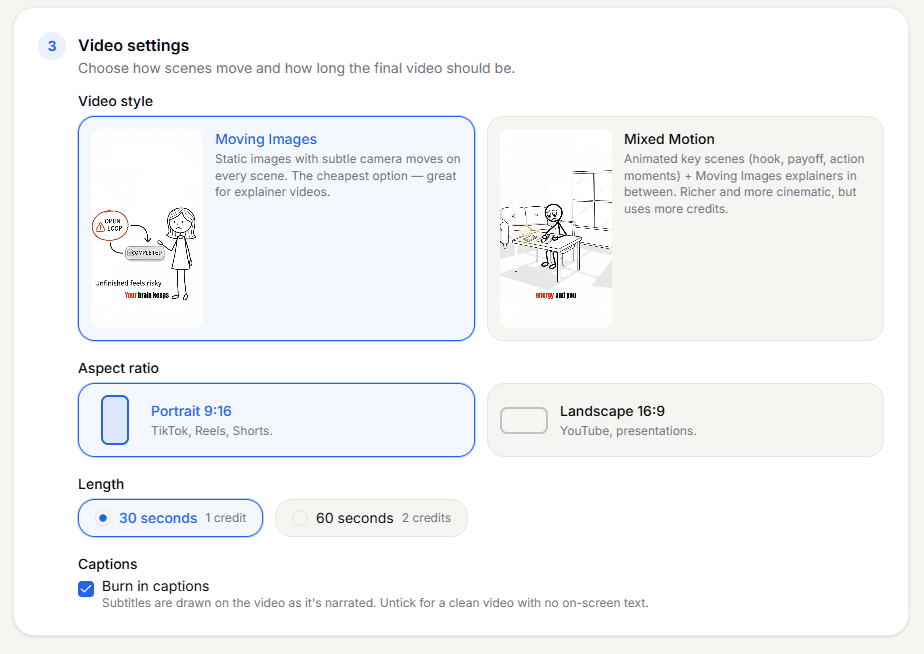
Three decisions here. How much animation: Moving Images uses illustrated scenes with subtle camera movement, the most credit-efficient option and great for explainers. Mixed Motion animates the key scenes (the hook, the payoff) and keeps Moving Images in between. Full Animation animates every scene, which suits character-driven comedy. A 30-second video costs Moving Images 1 credit, Mixed Motion 4 credits, Full Animation 6 credits. Aspect ratio: portrait 9:16 for TikTok, Reels, and YouTube Shorts; landscape 16:9 for regular YouTube videos and presentations. Length and captions: anything from a short clip to a long-form video of up to 10 minutes. Leave Burn in captionschecked if you're posting to social platforms: most short-form viewers watch with the sound off, so on-screen captions directly improve watch time.
- 4
Pick or create your stickman character
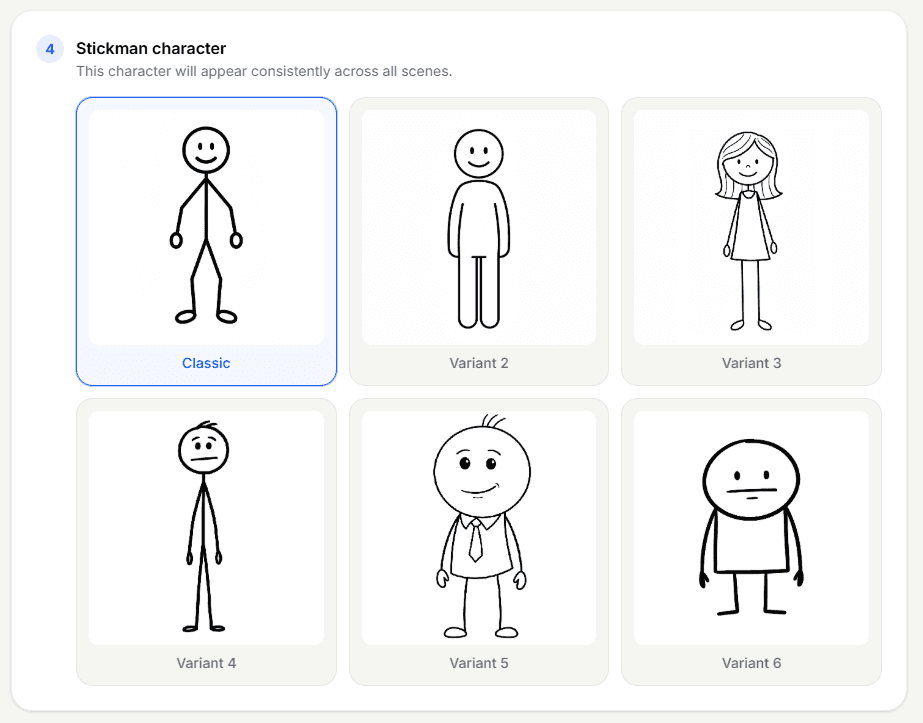
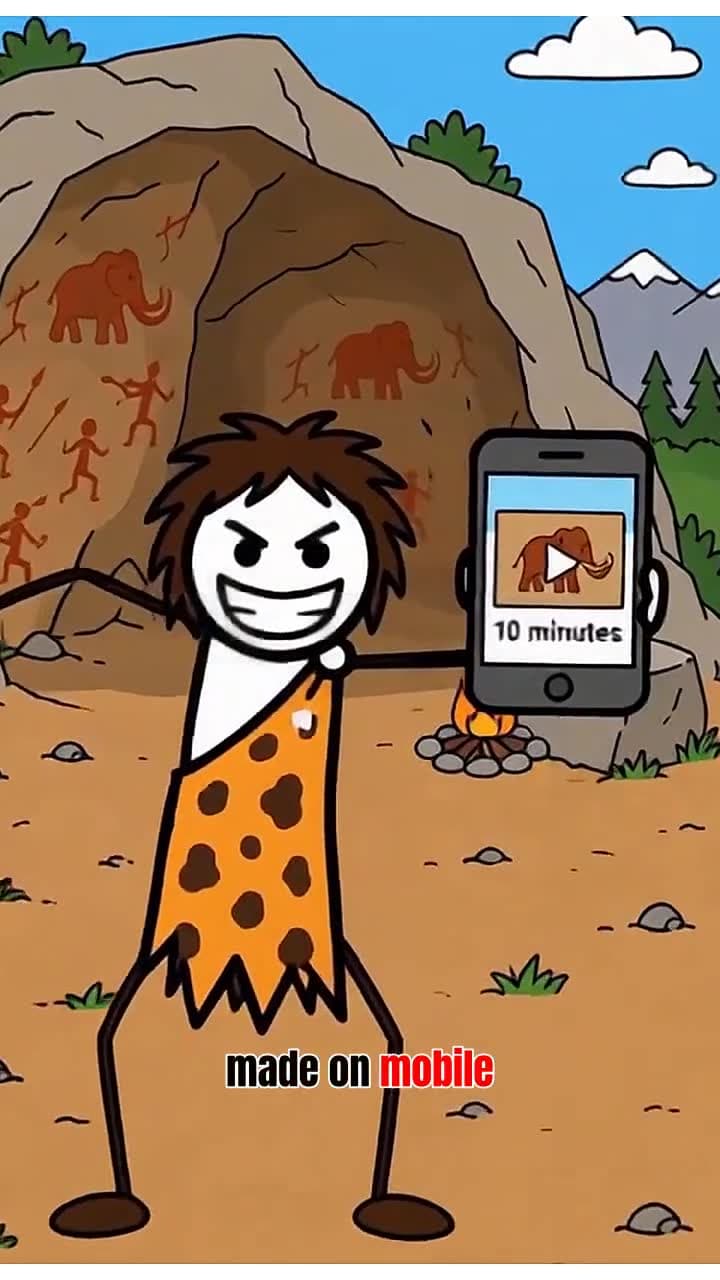
Choose one of the preset characters or create your own, like the caveman in this video made on a phone. The important detail: the character stays visually consistent across every scene, same face and same style, whether he's at a desk in scene one or celebrating in scene five. If you're building a channel, use the same character in every video; a recognizable recurring character is one of the cheapest branding wins in faceless content.
- 5
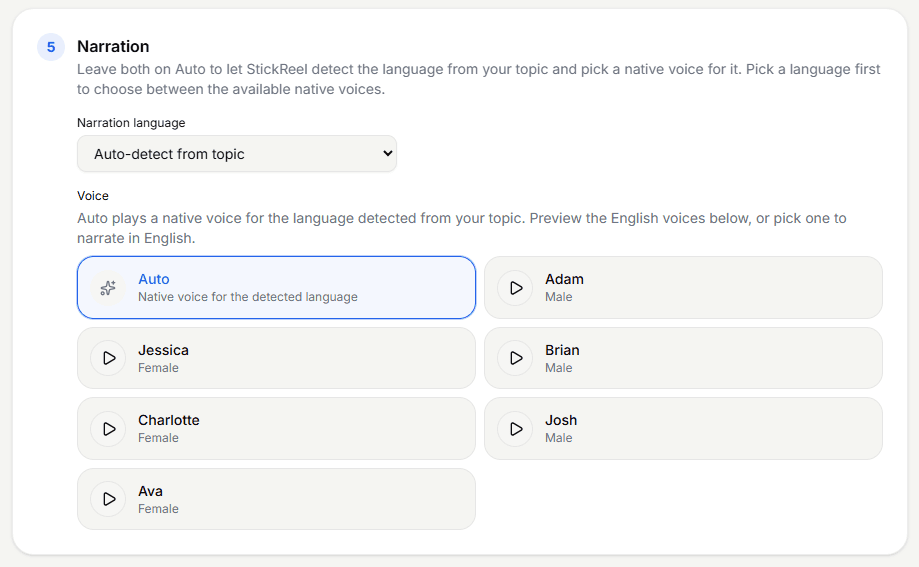
Choose the narration language and voice
You can leave the language on auto-detect (write your topic in Spanish and you'll get a native Spanish voice) or pick a language and voice manually. Each voice has a preview button, so listen to a couple before committing. Match the voice to the format: calm and clear for explainers, more energetic for hot takes.
- 6
Review the script and scene prompts
StickReel generates the script and splits it into scenes, each with its own visual prompt describing what the illustration will show. You can edit any of them: rewrite a line, or change a scene's prompt if you want the character at a whiteboard instead of a desk. This is plain text, not a timeline editor, so tweaking a scene takes seconds. Happy with it? Generate the images.
- 7
Generate and review the images
A few minutes later you'll have an illustration for every scene. Scroll through them, and if one doesn't look right, regenerate just that image. You never have to redo the whole video because of one scene.
- 8
Generate the full video
One more click and StickReel assembles everything: scenes, animation, voiceover, timing, and captions. Total time from typing your idea to a finished short is around ten minutes. Download the MP4 and it's ready to post.
Try it with your own topic
One line of text in, a finished stickman video out. Free trial, no drawing.
Comparison
Which method should you choose?
| Criterion | Frame by frame | AI-generated |
|---|---|---|
| Time per video | Hours per 10–15 seconds | About 10 minutes |
| Drawing or posing skills | Required | None |
| Voiceover and captions | Record and add them yourself | Generated automatically |
| Works on a phone | Yes (Stick Nodes, FlipaClip) | Yes, in the browser |
| Cost | Free apps, paid in time | Free trial, then from $19/month |
| Creative control | Total, frame-level | Script and scene level |
| Best for | Fight scenes, animation as an art | Narrated videos you publish regularly |
The honest summary: if animating is the hobby, draw. If publishing is the goal, generate.
Tips
Five tips for stickman animations people actually watch
Win the first two seconds
Start with the most interesting claim or question, not an intro. Viewers decide whether to keep watching almost instantly.
Keep captions on
A large share of short-form viewing happens on mute. Burned-in captions aren't optional decoration; they're retention.
One idea per video
A 30–60 second stickman video carries exactly one point well. Save the other points for the next video.
Reuse the same character
Consistency across videos is what turns random clips into a channel people recognize and follow.
Publish in 9:16 for short-form
Shorts, Reels, and TikTok all favor vertical video; make landscape versions only for long-form YouTube.
Examples
Stickman animations made this way, with their prompts
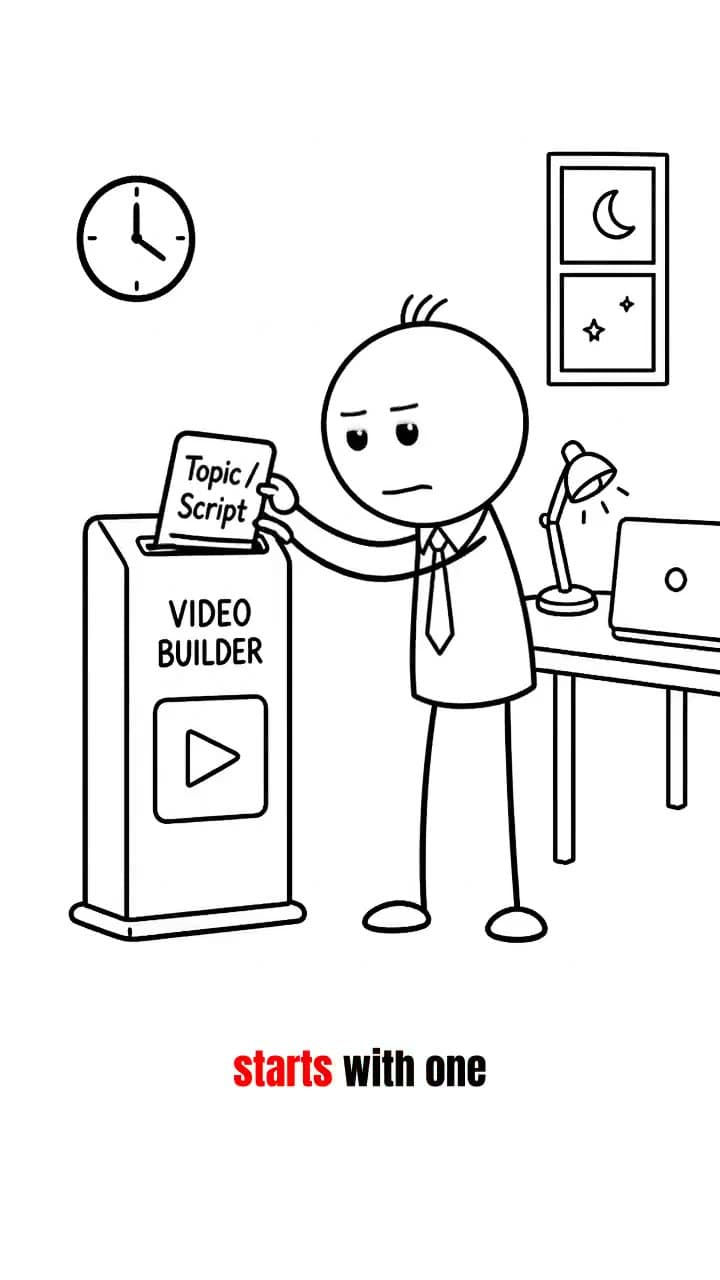
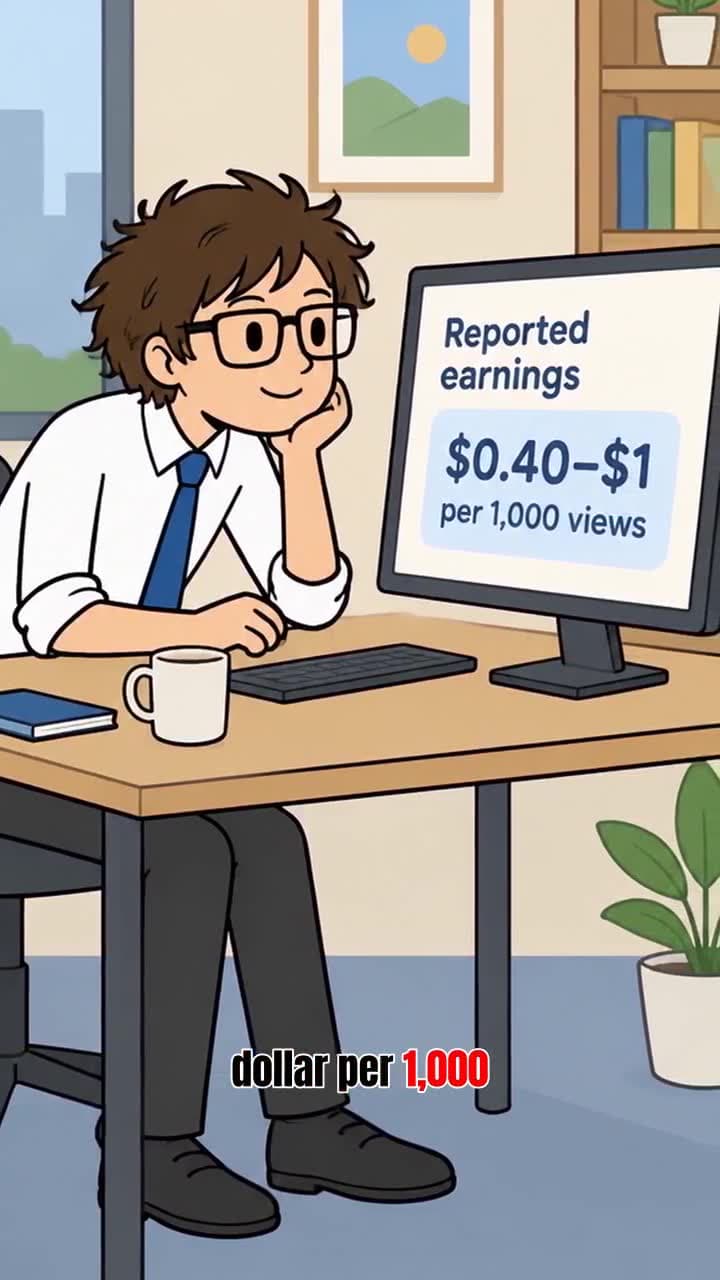
Each of these was generated with StickReel and is published with the exact prompt or script, the settings, and the full transcript, so you can copy the recipe.
FAQ
Frequently asked questions
How do you make a stickman animation as a beginner?
Start with one short action in a free app: Pivot Animator on Windows or Stick Nodes on a phone. Pose the start and end of the movement, fill in the frames between them at 12 frames per second, and export. If you want a narrated video rather than practice in animating, an AI tool like StickReel generates the whole thing from a one-line topic, with no drawing or posing.
What is the best app for stickman animation?
It depends on your device and goal. Pivot Animator is the classic free choice on Windows. Stick Nodes is the most popular stick figure animator on Android and iOS. FlipaClip suits a hand-drawn look, and Pencil2D is a free option for Mac and Linux. For narrated stickman videos for YouTube, TikTok, or Reels, StickReel generates the script, scenes, voiceover, and captions in the browser.
Can I make a stickman animation for free?
Yes. Pivot Animator and Pencil2D are completely free, including for commercial use. Stick Nodes and FlipaClip are free with limits such as ads, watermarks, or GIF-only export until you upgrade. StickReel has a free trial, so you can generate your first AI stickman video before paying anything.
How many frames per second should a stickman animation be?
12 frames per second is the usual choice for stick figure and hand-made 2D animation: smooth enough to look fluid, and half the work of 24 fps. Use 24 fps for very fast action like fight scenes. At 12 fps, a 15-second animation needs 180 frames.
Can AI really make a stickman animation?
Yes. Tools like StickReel generate the script, scene illustrations, animation, voiceover, and captions from a text prompt, and assemble them into a finished video. You review and edit the script and scene prompts before anything is rendered.
Do I need to know how to draw?
Not for the AI route; you only write or approve the script. For frame-by-frame animation, joint-based apps like Pivot Animator and Stick Nodes let you pose a ready-made stick figure instead of drawing it, which lowers the bar a lot.
How long does it take to make a stickman animation?
Frame by frame: several hours for a 10 to 15 second clip as a beginner, before sound. With AI: around ten minutes from idea to a finished short video, most of which is generation time rather than your work.
Can I make stickman animations on my phone?
Yes. Stick Nodes and FlipaClip are frame-by-frame apps built for phones and tablets. StickReel runs in the phone's browser, so you can make a whole narrated video without installing anything; one of the example videos was made on a phone in about ten minutes.
How do I make a stickman animation on a PC or Mac?
On Windows, Pivot Animator is the free classic. On a Mac, Pivot does not run natively, so use Pencil2D (free, also on Windows and Linux) for frame-by-frame animation, or the free StickReel stick figure animator, which works in the browser with Pivot-style joints. StickReel works in any desktop browser if you want an AI-generated video instead.
How much does StickReel cost?
StickReel works on credits per generated video, with plans from $19/month. A 30-second video costs Moving Images 1 credit, Mixed Motion 4 credits, Full Animation 6 credits; 60-second videos cost twice as much. There's a free trial, so you can make your first video before paying.
Can I monetize stickman videos on YouTube or TikTok?
Yes, as long as each video is original. YouTube and TikTok pay for original content and exclude mass-produced, repetitive uploads, so every video needs its own script and angle. Commercial usage rights are included on every StickReel plan.
What about stick figure fight animations?
That's the one area where frame-by-frame still wins. Fight animation lives on precise, frame-level motion, so use Pivot Animator or Stick Nodes for that, and AI generation for narrated, idea-driven videos.
Ready to try the fast route?
Make your first stickman video free with StickReel: script, animation, voiceover, and captions included. See pricing or watch real examples first.